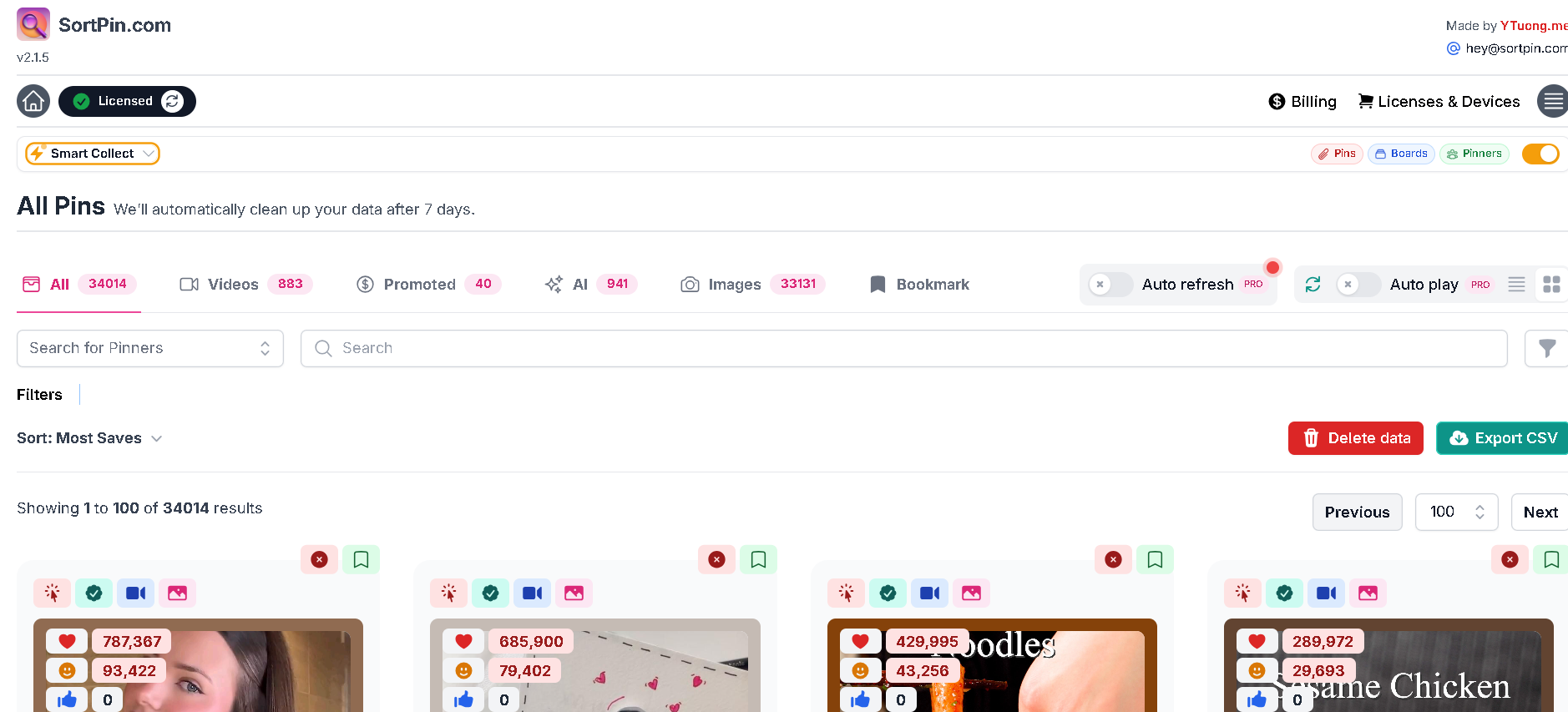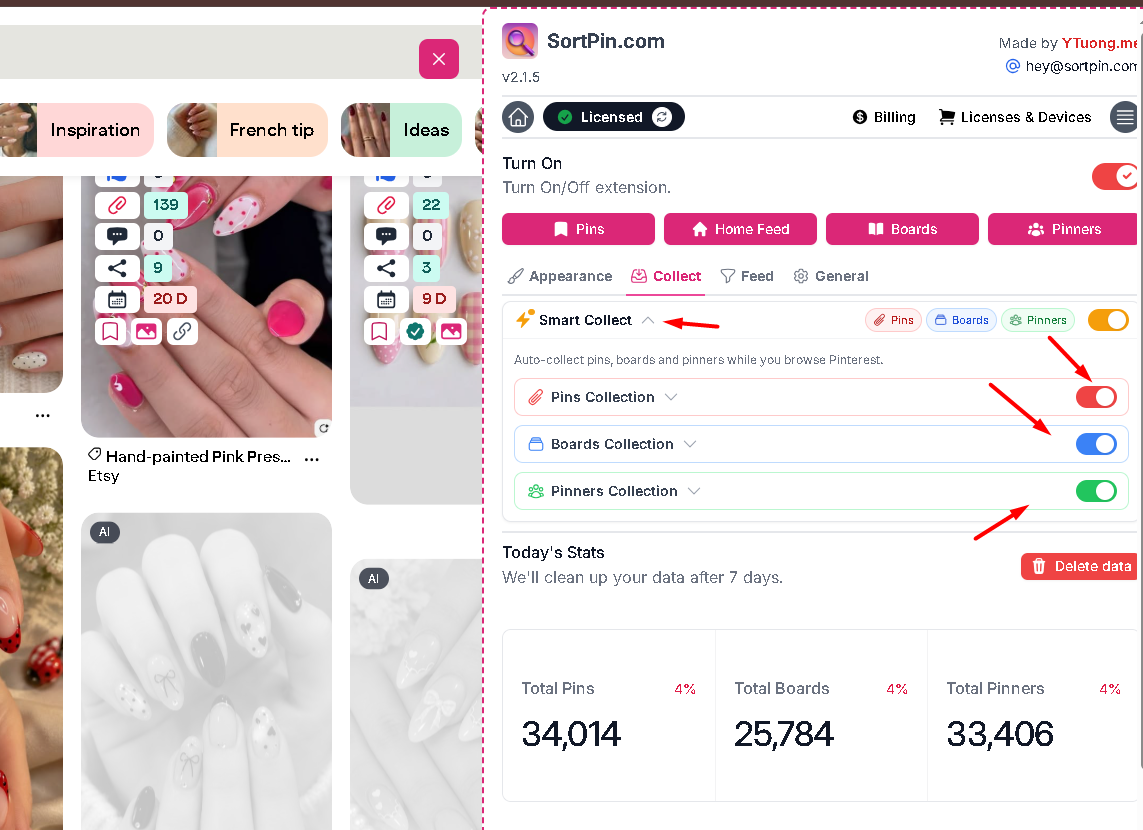
> For the complete documentation index, see [llms.txt](https://help.sortpin.com/llms.txt). Markdown versions of documentation pages are available by appending `.md` to page URLs; this page is available as [Markdown](https://help.sortpin.com/download-guides-troubleshooting-and-info/bulk-download-pinterest.md).

# Bulk Download Pinterest — Mass Guide

{% hint style="success" %}
**Download hundreds or thousands of Pinterest pins in one session.** SortPin's bulk download feature captures entire boards, profiles, or search results — with images, videos, and metadata all at once. Free, no signup.
{% endhint %}

> 🎉 **Trusted by 40,000+ Pinterest users worldwide** — many use SortPin specifically for bulk downloads.

## 🎯 What Bulk Download Can Do

| Source                   | Result                                     |
| ------------------------ | ------------------------------------------ |
| 📁 **Entire board**      | All pins downloaded to a folder            |
| 👤 **Full user profile** | All pins across all their boards           |
| 🔍 **Search results**    | All pins matching a keyword                |
| 📌 **Your saved pins**   | Complete backup of your Pinterest activity |
| 🖼️ **Images only**      | Filter to images before download           |
| 🎬 **Videos only**       | Filter to videos before download           |

***

## 🚀 How to Bulk Download Pinterest — Step by Step

### Step 1 — Install SortPin

[**Install SortPin (Free) →**](https://sortpin.com) — Chrome Extension is required for bulk features. Full guide: [Install SortPin](/getting-started/how-to-install-sortpin.com-extension.md)

### Step 2 — Open the Source Page

Navigate to what you want to bulk-download:

* 🎯 **Board:** open the board URL
* 👤 **Profile:** open the user's profile
* 🔍 **Search:** run any Pinterest search
* 📌 **Your saves:** go to your "Saved" section

### Step 3 — Start Auto-Scroll

Click the SortPin **auto-scroll button** with a **12-second interval**.

SortPin will:

* 🔄 Automatically scroll through the page
* 📥 Collect data for every pin encountered
* ⏱️ Wait 12 seconds per scroll for Pinterest to load

> ☕ **Grab a coffee** — for 1000+ pins, this can take 30+ minutes.

### Step 4 — Filter Results

After collection completes, filter:

* 🖼️ Images only (JPG/PNG)
* 🎬 Videos only (MP4)
* 🎨 GIFs only (MP4 animated)
* 📊 All content types

### Step 5 — Bulk Download

Click **"Download All"** → SortPin saves every file into a folder.

Optionally:

* 📄 **Export CSV** — spreadsheet with all pin URLs, titles, saves, likes
* 📸 **Selective download** — pick specific pins from the collected list

***

## ⏱️ Bulk Download Time Estimates

Based on the recommended **12-second scroll interval**:

| Number of Pins | Estimated Time                   |
| -------------- | -------------------------------- |
| 50 pins        | \~2 minutes                      |
| 100 pins       | \~4 minutes                      |
| 300 pins       | \~10 minutes                     |
| 500 pins       | \~15 minutes                     |
| 1,000 pins     | \~30 minutes                     |
| 5,000 pins     | \~2.5 hours                      |
| 10,000+ pins   | \~5+ hours (split into sessions) |

> 💡 **Speed up (risky):** Reduce interval to 10 seconds. Below 10s → Pinterest may rate-limit or flag your account.

***

## 📊 Bulk Use Cases

### 🎨 Agencies & Designers

* Deliver full moodboard archives to clients
* Build reference libraries by project theme
* Archive completed campaigns

### 🛒 E-commerce Sellers

* Save competitor product catalog references
* Track trending product categories
* Build seasonal moodboards

### 📊 Marketing Teams

* Bulk-archive brand Pinterest pins for compliance
* Build case study assets libraries
* Competitor campaign analysis

### 📸 Content Creators

* Backup your own Pinterest content
* Save inspiration collections offline
* Batch-process pins for editing

### 🎓 Researchers & Students

* Collect visual references for thesis / dissertations
* Archive Pinterest trends for research
* Study visual culture at scale

### 💼 Data Analysts

* Extract Pinterest data via CSV export
* Analyze pin performance patterns
* Build reports on visual trends

***

## 📊 CSV Export — What You Get

Each bulk download includes an optional CSV file with:

| Column        | Data                                    |
| ------------- | --------------------------------------- |
| Pin URL       | Direct link to each pin                 |
| Title         | Pin title (if any)                      |
| Description   | Full pin description                    |
| Image URL     | Direct CDN URL                          |
| Video URL     | Direct video URL (if applicable)        |
| Save count    | Total saves (via SortPin's hidden data) |
| Like count    | Total likes                             |
| Comment count | Total comments                          |
| Creator       | Pinterest username                      |
| Board name    | Source board                            |
| Date scraped  | When you ran SortPin                    |

Perfect for spreadsheet analysis, Google Sheets, or importing into other tools.

***

## 🛠️ Bulk Download Troubleshooting

### "Bulk download stopped halfway"

* Pinterest may have rate-limited your session. Wait 10-30 minutes → resume.
* Increase scroll interval to 15-20 seconds.

### "Some pins missing from bulk output"

Pinterest lazy-loads content. Restart auto-scroll from the top of the page.

### "Bulk download is extremely slow"

* Check internet speed
* Close other Chrome tabs (frees RAM)
* See: [SortPin displaying data slowly](/displaying-data-slowly.md)

### "Pinterest flagged my account after bulk scan"

You may have scrolled too fast. Follow safe intervals (12s+) and avoid running 24/7. See: [How to grow Pinterest safely](/faqs/how-to-grow-a-pinterest-account-without-getting-locked.md)

### "Can't bulk-download from private boards"

You must be logged into Pinterest with access to the board. SortPin only sees what your browser sees.

***

## ⚠️ Best Practices to Avoid Pinterest Rate Limits

1. ⏱️ Use **12s or higher** scroll interval
2. 📊 Don't run multiple bulk sessions simultaneously
3. 🕐 Take breaks between large jobs (1 hour+ between sessions)
4. 📅 Don't run 24/7 automation
5. 🔀 Vary your activity — don't just bulk-download

***

## ❓ FAQs

**Q: Can I bulk download an entire Pinterest board?** A: Yes — SortPin does this natively. See: [Download Entire Pinterest Board](/download-guides-by-content-type/how-to-download-pinterest-board.md)

**Q: How to mass-download Pinterest images?** A: Use SortPin's bulk mode → filter to "Images only" → Download All.

**Q: Can I bulk-download all my saved Pinterest pins?** A: Yes — open your "Saved" section → run SortPin auto-scroll → Download All.

**Q: Is there a Pinterest bulk downloader for mobile?** A: Not natively — bulk requires desktop Chrome extension. Alternative: download on desktop → transfer files.

**Q: How many pins can I bulk-download in one session?** A: No hard limit from SortPin. Pinterest may rate-limit after 5,000-10,000 pins in a session.

**Q: Can I bulk-download from someone else's Pinterest profile?** A: Yes, if their profile is public. Same method — open profile → run auto-scroll.

**Q: Best way to backup my Pinterest account?** A: Use SortPin bulk download on your saved pins section → export CSV + download all images/videos.

**Q: Will bulk downloading ban my Pinterest account?** A: Not if you follow safe intervals (12s+). Excessive automation can flag your account.

**Q: Can I schedule automatic bulk downloads?** A: Not currently — SortPin requires manual initiation for safety reasons.

***

## 🚀 Get Started

1. [🧩 Install Chrome Extension](/getting-started/how-to-install-sortpin.com-extension.md) — required for bulk
2. [📁 Follow Board Download Guide](/download-guides-by-content-type/how-to-download-pinterest-board.md)
3. [🥳 See all SortPin features](/getting-started/overview-of-key-features.md)

## 👉 Related Guides

* [📁 How to Download Entire Pinterest Board](/download-guides-by-content-type/how-to-download-pinterest-board.md)
* [🎬 How to Download Pinterest Videos](/download-guides-by-content-type/how-to-download-pinterest-videos.md)
* [🖼️ How to Download Pinterest Images](/download-guides-by-content-type/how-to-download-pinterest-images.md)
* [🛡️ How to Grow Pinterest Safely](/faqs/how-to-grow-a-pinterest-account-without-getting-locked.md)

{% hint style="info" %}
💬 **Bulk help?** For very large jobs (10,000+ pins), our [chat support](https://go.crisp.chat/chat/embed/?website_id=48b6c12a-2212-4be1-9e27-2dad7e2d5fb0) team can advise on safe pacing.
{% endhint %}