> For the complete documentation index, see [llms.txt](https://help.sortpin.com/llms.txt). Markdown versions of documentation pages are available by appending `.md` to page URLs; this page is available as [Markdown](https://help.sortpin.com/pinterest-growth-and-analytics/best-pinterest-sort-extension-for-chrome-and-firefox.md).
# Pinterest Sort Extension — What It Does & Browser Support
Looking for a Pinterest sort extension? What SortPin does, which browsers are supported, and what to use if you're on Firefox or Safari.
{% hint style="success" %}
**Pinterest doesn't let you sort pins.** No "sort by most saved", no "newest first", no way to see which pins are actually performing. That gap is exactly what a Pinterest sort extension fills — and it's the core of what SortPin does.
{% endhint %}
> 🎉 **Trusted by 40,000+ Pinterest users worldwide** — creators, marketers, and e-commerce sellers who need more than an endless feed.
## 🎯 The Problem With Native Pinterest
| What you want to do | Can you do it on Pinterest? |
| -------------------------------- | --------------------------- |
| Sort search results by saves | ❌ No |
| See a pin's real save count | ❌ Hidden |
| Sort a board by date added | ❌ No |
| Compare 50 pins side by side | ❌ No |
| Export pin data to a spreadsheet | ❌ No |
| Filter out low-performing pins | ❌ No |
Pinterest optimises for browsing, not analysis. If you're doing research — competitor study, niche validation, trend spotting — you need to impose your own order on the feed.
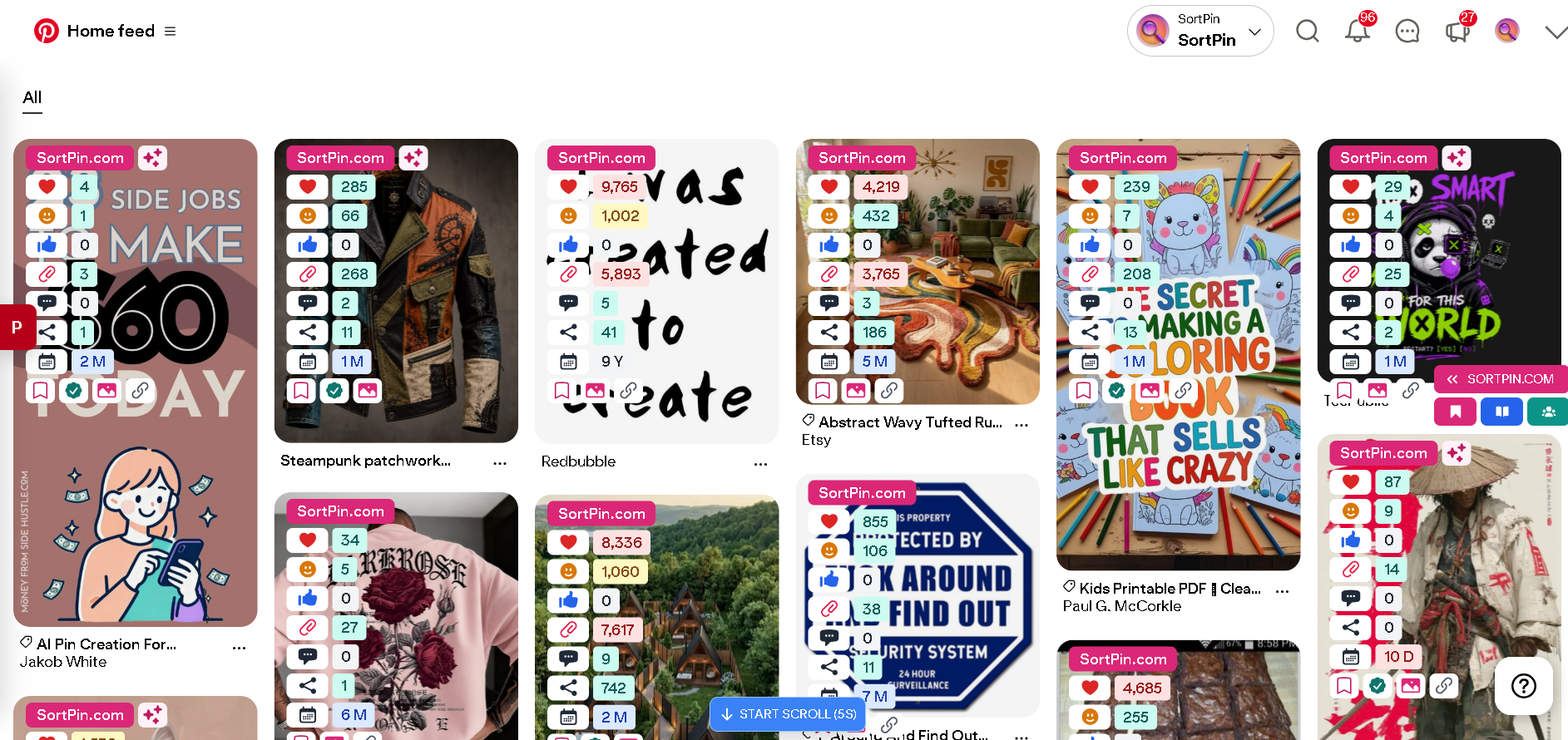
With the extension running, every pin carries its real engagement numbers
***
## ✅ What the SortPin Extension Adds
| Capability | What it means in practice |
| -------------------------- | ------------------------------------------------------------- |
| 📊 **Hidden pin data** | See repins, likes, comments, and the creator's follower count |
| 🔢 **Sorting & filtering** | Order collected pins by saves, date, and other signals |
| 🗂️ **Automatic history** | Every pin, board, and pinner you view is stored for later |
| 📥 **Media download** | Save images, videos, GIFs, and stories at original quality |
| 📦 **Bulk board scan** | Collect an entire board, then export or download in one go |
| 🤝 **Group board finder** | Surface collaborative boards you can request to join |
| 🎯 **Ad research** | Inspect competitor Pinterest ad campaigns |
| ✉️ **Lead export** | Export pinner data to CSV for outreach |
👉 Full breakdown: [Overview of Key Features](/getting-started/overview-of-key-features.md)
***
## 🌐 Browser Support
SortPin ships on **both Chrome and Firefox**, with **full feature parity** between them — you don't have to switch browsers to use it.
| Browser | Supported? | Where to get it |
| ---------------------- | ---------- | ---------------------------------------------------------------------------------------------------------------------- |
| 🟢 **Google Chrome** | ✅ Yes | [Chrome Web Store](https://chromewebstore.google.com/detail/pinterest-sort-extension/djcledakkebdgjncnemijiabiaimbaic) |
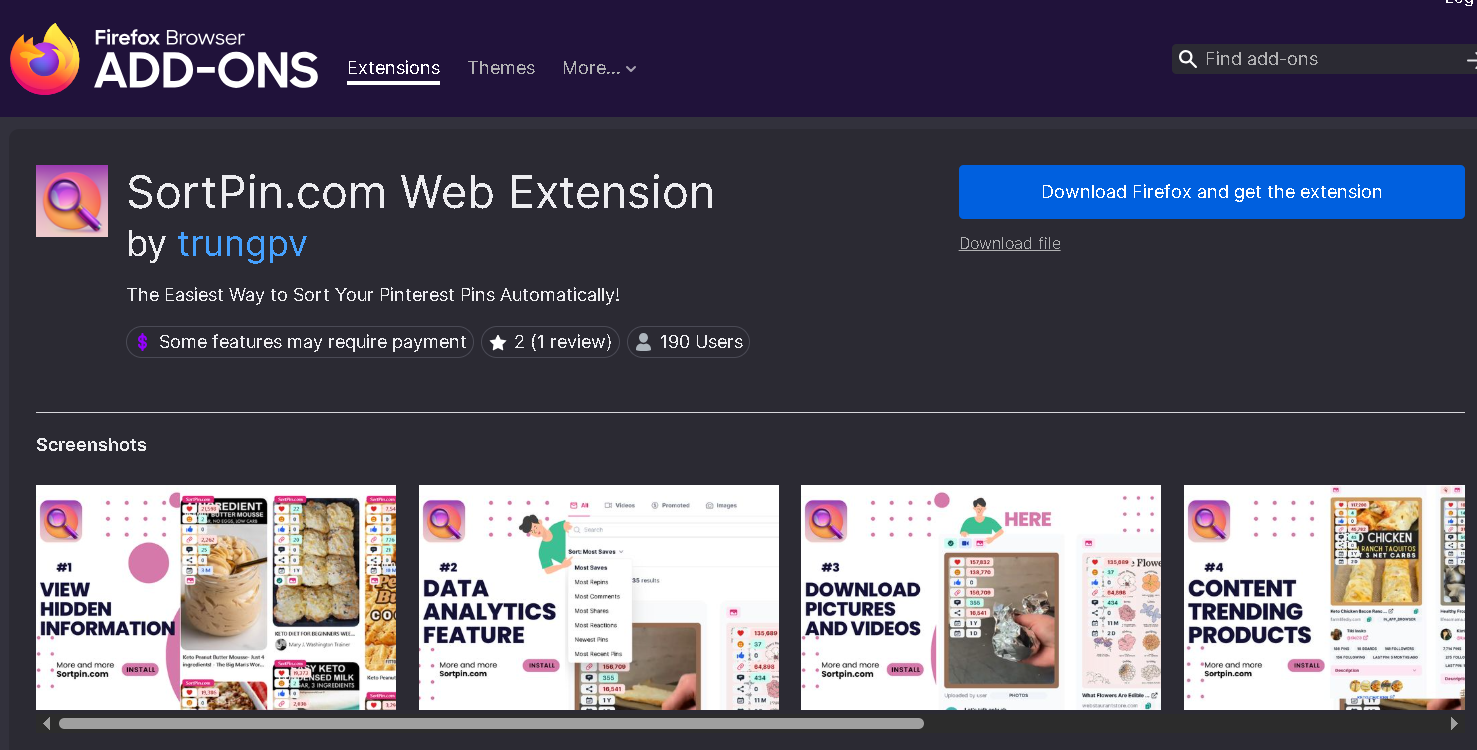
| 🦊 **Firefox** | ✅ Yes | [Firefox Add-ons](https://addons.mozilla.org/en-US/firefox/addon/sortpin-com-web-extension/) |
| 🟢 **Microsoft Edge** | ✅ Yes | Chrome Web Store — enable "Allow extensions from other stores" |
| 🟢 **Brave** | ✅ Yes | Chrome Web Store |
| 🟢 **Opera** | ✅ Yes | Chrome Web Store |
| 🟢 **Arc / Vivaldi** | ✅ Yes | Chrome Web Store |
| 🔴 **Mobile browsers** | ❌ No | iOS and Android don't support extensions |
The Firefox listing — you don't have to switch to Chrome to use it
### If you're on mobile
Extensions aren't possible on phones or tablets — that's an OS limitation, not a SortPin one. Use these instead:
| Task | Mobile option |
| ---------------------- | ------------------------------------------------------------------------------------------------------------ |
| 📥 Download pins | [SortPin website tool](https://www.sortpin.com/pinterest-images-and-video-downloader) — works in any browser |
| 📱 Save to camera roll | [SortPin Telegram bot](/features/telegram-bot-pinterest-images-video-and-story-downloader.md) |
| 📊 Pin research | Desktop only — collect on desktop, review anywhere |
***
## 🚀 How to Install (2 Minutes)
### Step 1 — Open the listing for your browser
* 🟢 **Chrome, Edge, Brave, Opera:** [Pinterest Sort Extension on the Chrome Web Store →](https://chromewebstore.google.com/detail/pinterest-sort-extension/djcledakkebdgjncnemijiabiaimbaic)
* 🦊 **Firefox:** [SortPin.com Web Extension on Firefox Add-ons →](https://addons.mozilla.org/en-US/firefox/addon/sortpin-com-web-extension/)
### Step 2 — Click "Add to Chrome" / "Add to Firefox"
Confirm when the permission dialog appears.
### Step 3 — Pin it to your toolbar
Click the 🧩 puzzle icon → find SortPin → click the 📌 pin icon so it's always one click away.
### Step 4 — Open Pinterest and start
Load any Pinterest search, board, or profile and click the SortPin icon.
👉 Detailed walkthrough with screenshots: [How to Install SortPin](/getting-started/how-to-install-sortpin.com-extension.md)
***
## 💡 What People Actually Use It For
| Use case | Typical workflow |
| --------------------------- | -------------------------------------------------------------- |
| 🛒 **E-commerce research** | Scan a niche → sort by saves → identify winning product angles |
| 🎨 **Design reference** | Collect a board → verify quality → bulk download originals |
| 📊 **Competitor study** | Scan a rival's profile → compare engagement across their pins |
| 📈 **Niche validation** | Check whether a topic has real save volume before committing |
| ✉️ **Lead generation** | Collect pinners in a niche → export CSV |
| 🤝 **Group board outreach** | Find active collaborative boards → request to join |
***
## 🛠️ Troubleshooting
### "I installed it but don't see the icon"
Click the 🧩 puzzle icon in your toolbar and pin SortPin. See [How to pin the extension](/faqs/how-to-temporarily-disable-sortpin.com-extension-info.md).
### "The extension is installed but shows no data"
Open the SortPin panel, click the 🏠 home icon, and make sure the toggle is **on** — then refresh Pinterest. Full steps: [SortPin not working](/faqs/if-sortpin-is-not-working-despite-being-installed-what-should-i-do.md).
### "It's slow after a lot of scanning"
Collected data is stored locally, so large archives slow it down. Clear it periodically: [How to clear cache](/faqs/how-to-clear-cache-to-speed-up-the-sortpin.com-extension.md).
### "Edge won't install it"
Edge → Settings → Extensions → enable **Allow extensions from other stores**, then retry the Chrome Web Store link.
***
## ❓ FAQs
**Q: Does the Pinterest sort extension work on Firefox?** A: Yes. Install the [SortPin.com Web Extension from Firefox Add-ons](https://addons.mozilla.org/en-US/firefox/addon/sortpin-com-web-extension/). There's a separate Chrome Web Store build for Chrome, Edge, Brave, and Opera.
**Q: Is the Pinterest sort extension free?** A: Yes, there's a free tier. Advanced capabilities are covered by a license — see [How to activate your license](/getting-started/manage-license-and-devices/how-to-activate-license.md).
**Q: Can Pinterest sort pins by most saved natively?** A: No. Pinterest offers no user-facing sort control for saves, date, or engagement. That's the specific gap SortPin fills.
**Q: Is a Pinterest sort extension safe to install?** A: SortPin is verified on the Chrome Web Store. As a general rule, avoid unlisted "Pinterest helper" extensions installed from random websites — they often request far broader permissions than they need.
**Q: Will using a sort extension get my Pinterest account banned?** A: SortPin reads data already rendered on the pages you visit. The real ban risk comes from acting too fast — see [How to grow Pinterest without getting locked](/faqs/how-to-grow-a-pinterest-account-without-getting-locked.md).
**Q: Does it work on Mac?** A: Yes — on Chrome, Edge, Brave, Opera, or Firefox on macOS. See [Download Pinterest on Mac](/download-guides-by-device/download-pinterest-on-mac.md).
**Q: Can I use it on my phone?** A: No — mobile browsers don't support extensions. Use the [Telegram bot](/features/telegram-bot-pinterest-images-video-and-story-downloader.md) on mobile instead.
**Q: How many devices can one license cover?** A: Five devices or Chrome profiles per license. See [Unlink or deactivate a device](/getting-started/manage-license-and-devices/unlink-or-deactivate-device.md).
***
## 👉 Related Guides
* [📊 How to Sort Pinterest Pins by Saves, Date & Popularity](/pinterest-growth-and-analytics/how-to-sort-pinterest-pins-by-saves-date-and-popularity.md)
* [📈 How to See Pinterest Repin & Save Counts](/pinterest-growth-and-analytics/how-to-see-pinterest-pin-repin-and-save-counts.md)
* [😊 How to Install SortPin](/getting-started/how-to-install-sortpin.com-extension.md)
* [🥳 Overview of Key Features](/getting-started/overview-of-key-features.md)
{% hint style="info" %}
💬 **Not sure it fits your workflow?** Ask our [chat support](https://go.crisp.chat/chat/embed/?website_id=48b6c12a-2212-4be1-9e27-2dad7e2d5fb0) team — describe your use case and we'll tell you honestly.
{% endhint %}