Both URL formats work anywhere a Pinterest link is accepted
Both URL formats work anywhere a Pinterest link is accepted
`                      | `pin.it/1I8EjfvXA`                      |

Country domains (`uk.pinterest.com`, `jp.pinterest.com`, `br.pinterest.com`) all point to the same content — the `www` version works everywhere.

***

## 👤 How to Find Your Pinterest Profile URL

### On desktop

1. Log in and click your **profile picture** (top right)
2. Your profile opens — the URL bar now shows it

```
https://www.pinterest.com/yourusername/
```

That string after the final slash is your **username**, and it's the part every affiliate programme actually wants.

### On mobile

1. Open the app → tap your **profile picture**
2. Tap the **⋯** or share icon → **Copy link**

> 💡 **Don't have a username you recognise?** Pinterest auto-generates one at signup (often `firstnamelastname123`). Change it under **Settings → Public profile → Username**.

***

## 🛒 The "Mobile App URL" Question (Amazon Associates)

This is the single most confused Pinterest URL question, so let's be precise.

### What Amazon is actually asking

When you apply to Amazon Associates, the form asks for **websites and mobile apps** where you'll place affiliate links.

| Field                 | What it's for                                                         |
| --------------------- | --------------------------------------------------------------------- |
| 🌐 **Website URL**    | Any site or profile you publish on — **this is where Pinterest goes** |
| 📱 **Mobile App URL** | An app **you built and published** to the App Store or Play Store     |

### The answer

**Put your Pinterest profile URL in the website field.** Leave the mobile app field empty unless you personally publish an app.

```
https://www.pinterest.com/yourusername/
```

> ⚠️ **Pinterest's own App Store listing is not your mobile app URL.** It belongs to Pinterest, not you. Entering it misrepresents what you own and is a common reason applications get rejected.

### Before you apply

Amazon reviews the account you list. Make sure your Pinterest profile:

* ✅ Is **public**, not secret
* ✅ Has a real profile photo and bio
* ✅ Has **several boards with actual pins** — an empty profile gets declined
* ✅ Belongs to you and is active

> 💡 **Also check the affiliate programme's own rules.** Some allow direct affiliate links on pins; others require you to link to your own site first. Amazon's terms have changed on this more than once — read the current version rather than an old blog post.

***

## 📌 How to Get a Pin's URL

### Desktop

Click the pin to open it — the URL bar shows the full pin URL. Or use **Share → Copy link**.

### Mobile

Tap the pin → **Share** → **Copy link**. This gives you a `pin.it` short link, which works everywhere.

### Which format should you use?

| Use case                   | Best format                                          |
| -------------------------- | ---------------------------------------------------- |
| 📥 Downloading with a tool | Either works                                         |
| 📊 Sharing publicly        | `pin.it` — shorter, cleaner                          |
| 🔧 Debugging or scripting  | Full `pinterest.com/pin//` — contains the pin ID |

> 💡 **Need the pin ID on its own?** It's the long number in the full URL. Useful when working with the Pinterest API or reporting a specific pin to support.

***

## 📥 Using a Pinterest URL to Download

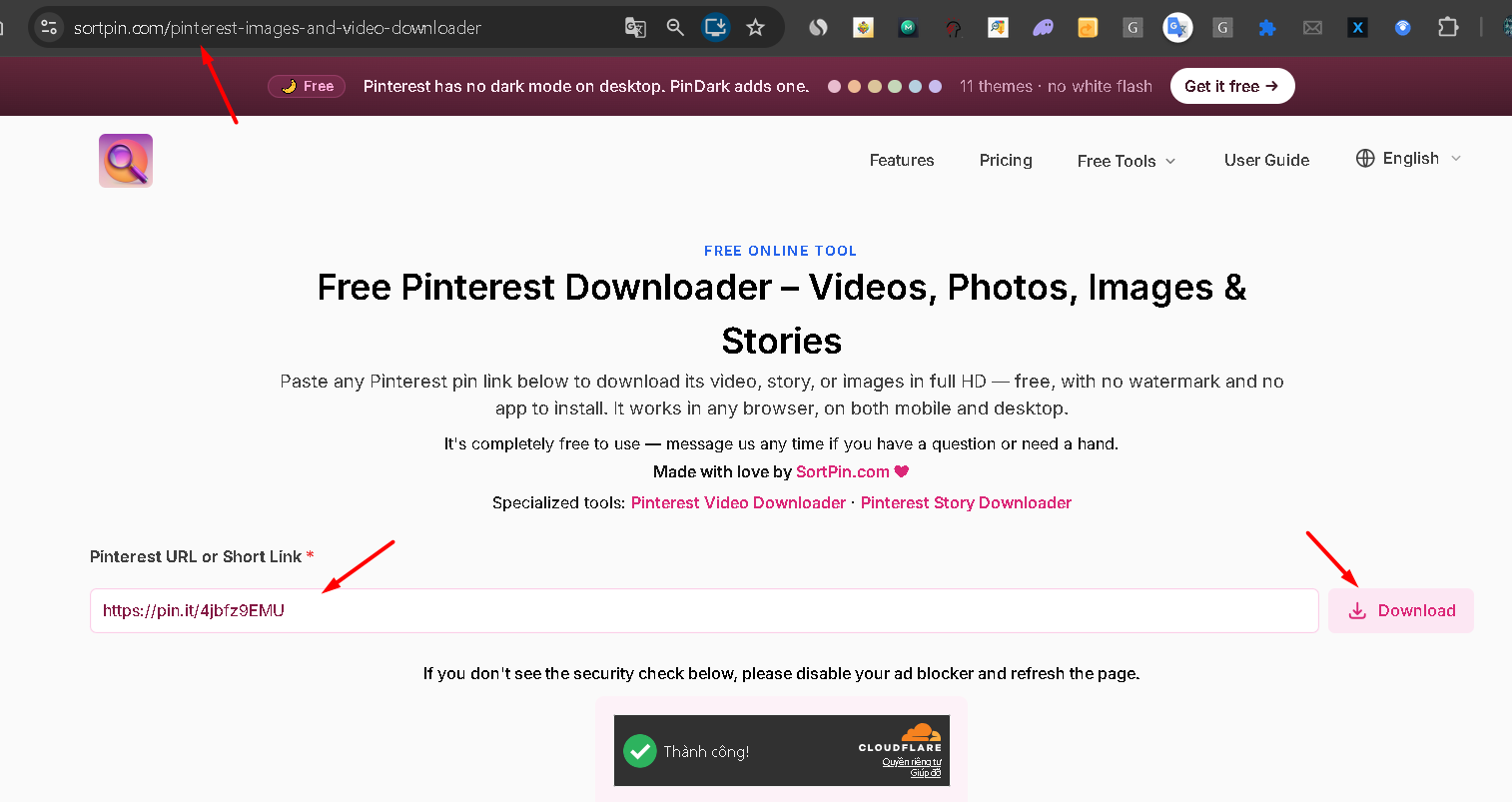
Every SortPin tool takes any of these formats.

| Tool                                                                                       | How                                             |
| ------------------------------------------------------------------------------------------ | ----------------------------------------------- |
| 🌐 [**Website downloader**](https://www.sortpin.com/pinterest-images-and-video-downloader) | Paste the URL → download                        |
| 🤖 [**Telegram bot**](https://t.me/sortpin_bot)                                            | Send `/pin `                               |
| 🧩 [**Chrome / Firefox extension**](https://sortpin.com)                                   | No URL needed — download straight from the page |

📚 Full guides: [download videos](/download-guides-by-content-type/how-to-download-pinterest-videos.md) · [download images](/download-guides-by-content-type/how-to-download-pinterest-images.md)

***

## 🔎 How to Find Someone Else's Pinterest URL

1. Open their profile
2. Copy the URL bar (desktop) or use **Share → Copy link** (mobile)

If you only have a username, the URL is predictable:

```
https://www.pinterest.com/thatusername/
```

> 🔒 **Private and deactivated profiles return an error.** If a profile URL doesn't load, the account may be secret, suspended, or deleted — see [account recovery](/pinterest-troubleshooting/pinterest-account-deactivated.md).

***

## 🛠️ Troubleshooting

### "My Pinterest URL shows a random number, not my name"

You haven't set a custom username yet. **Settings → Public profile → Username**. Changing it breaks any old links you've shared.

### "The pin.it link doesn't work in my tool"

Short links redirect. Open the link in a browser first, then copy the full `pinterest.com/pin/...` URL from the address bar.

### "My board URL has strange characters"

Pinterest slugifies board names — spaces become hyphens, and some punctuation is dropped. Copy the URL rather than typing it from the board title.

### "The URL works for me but not for others"

The board or profile is **secret**. Only you and invited collaborators can open it.

### "Which URL do I give a brand or sponsor?"

Your **profile URL**. It shows your full body of work rather than one pin.

***

## ❓ FAQs

**Q: What is my Pinterest URL?** A: `https://www.pinterest.com/yourusername/`. Find it by clicking your profile picture and reading the address bar, or by tapping Share → Copy link in the app.

**Q: What is the Pinterest mobile app URL for Amazon Associates?** A: There isn't one for you to give. The mobile app field is for apps you publish yourself. Put your Pinterest **profile URL** in the website field and leave the app field blank.

**Q: How do I find my Pinterest URL on the app?** A: Tap your profile picture → tap the share icon → **Copy link**.

**Q: What does a Pinterest pin URL look like?** A: `https://www.pinterest.com/pin/510947520243497052/`, or the short form `https://pin.it/1I8EjfvXA`.

**Q: Can I change my Pinterest URL?** A: Yes, by changing your username in **Settings → Public profile**. Old links will stop working, so update anywhere you've shared it.

**Q: How do I get a Pinterest URL for a shortcut on my phone?** A: Copy your profile URL, then use your browser's **Add to Home Screen** option. It opens Pinterest directly to that page.

**Q: Why does my Pinterest link open the app instead of the browser?** A: Mobile operating systems hand Pinterest links to the installed app by default. To force the browser, open the link in a private window or long-press and choose to open in the browser.

**Q: Can I use a Pinterest URL to download an image or video?** A: Yes. Paste it into the [web downloader](https://www.sortpin.com/pinterest-images-and-video-downloader), or send `/pin ` to the [Telegram bot](https://t.me/sortpin_bot).

***

## 👉 Related Guides

* [💡 What Is Pinterest? A Plain-English Guide](/pinterest-guides/what-is-pinterest.md)
* [📁 How to Manage Pinterest Boards](/pinterest-guides/manage-pinterest-boards.md)
* [🖼️ How to Download Pinterest Images](/download-guides-by-content-type/how-to-download-pinterest-images.md)
* [💰 How to Make Money on Pinterest](/case-study/how-do-you-make-money-on-pinterest.md)
* [🔒 Pinterest Account Deactivated — How to Recover](/pinterest-troubleshooting/pinterest-account-deactivated.md)

{% hint style="info" %}
💬 **Applying to an affiliate programme and unsure what to enter?** Ask our [chat support](https://go.crisp.chat/chat/embed/?website_id=48b6c12a-2212-4be1-9e27-2dad7e2d5fb0) team — we've walked plenty of people through this form.
{% endhint %}