> For the complete documentation index, see [llms.txt](https://help.sortpin.com/llms.txt). Markdown versions of documentation pages are available by appending `.md` to page URLs; this page is available as [Markdown](https://help.sortpin.com/getting-started/overview-of-key-features.md).
# Overview of Key Features
Discover all SortPin features – hidden pin insights, free Pinterest downloader, collaborative board finder, ad spy tool, and lead generation. Everything you need to grow on Pinterest in one Chrome ext
{% hint style="success" %}
**SortPin gives you 6 powerful features in one Chrome extension** — unlock hidden Pinterest data, download high-quality media, spy on competitor ads, and find leads & collaborators. Built for content creators, marketers, and Pinterest power users.
{% endhint %}
> 🎉 **Trusted by 40,000+ Pinterest users worldwide** — from solo creators to e-commerce teams.
## 🔥 What You Can Do with SortPin
| Category | What it does |
| ------------------------------- | --------------------------------------------------------------- |
| 🔍 **Pin Intelligence** | View hidden pin stats (repins, likes, comments, follower count) |
| 📊 **Data Analytics** | Find profitable niches and trending content fast |
| 📥 **Media Download** | Save HD images, videos, and stories with one click |
| 📈 **Trend Monitoring** | Spot Pinterest trends before they go mainstream |
| 🎯 **Ad Research** | Spy on competitor Pinterest ad campaigns |
| 🤝 **Lead & Influencer Finder** | Discover prospects, customers, and collaborators |
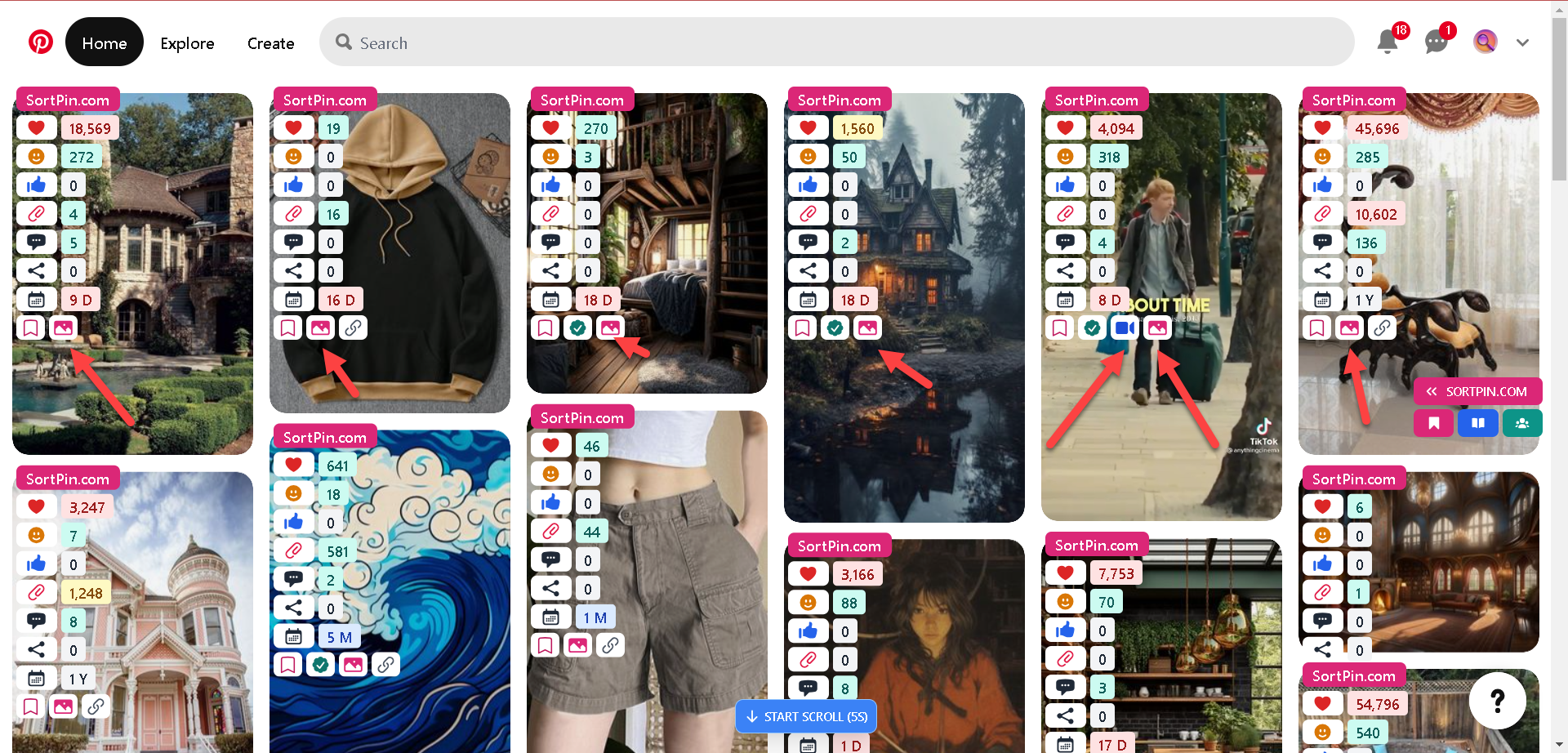
| 🧹 **Feed Cleanup** | Hide or dim AI-generated pins and ads in your feed |
| 🌙 **Dark Mode** | Theme Pinterest and the SortPin panel independently |
***
## 🧭 Finding Your Way Around the Panel
Everything lives in the SortPin panel, which opens on any Pinterest page. It has two rows worth knowing.
### Top row — your dashboards
| Button | Opens |
| ---------------- | ----------------------------------------------------------------------------------------------------- |
| 📌 **Pins** | **All Pins** dashboard — filter by All / Videos / Promoted / AI / Images / Bookmark, sort, and export |
| 🏠 **Home Feed** | Shortcut that jumps straight to your Pinterest home feed |
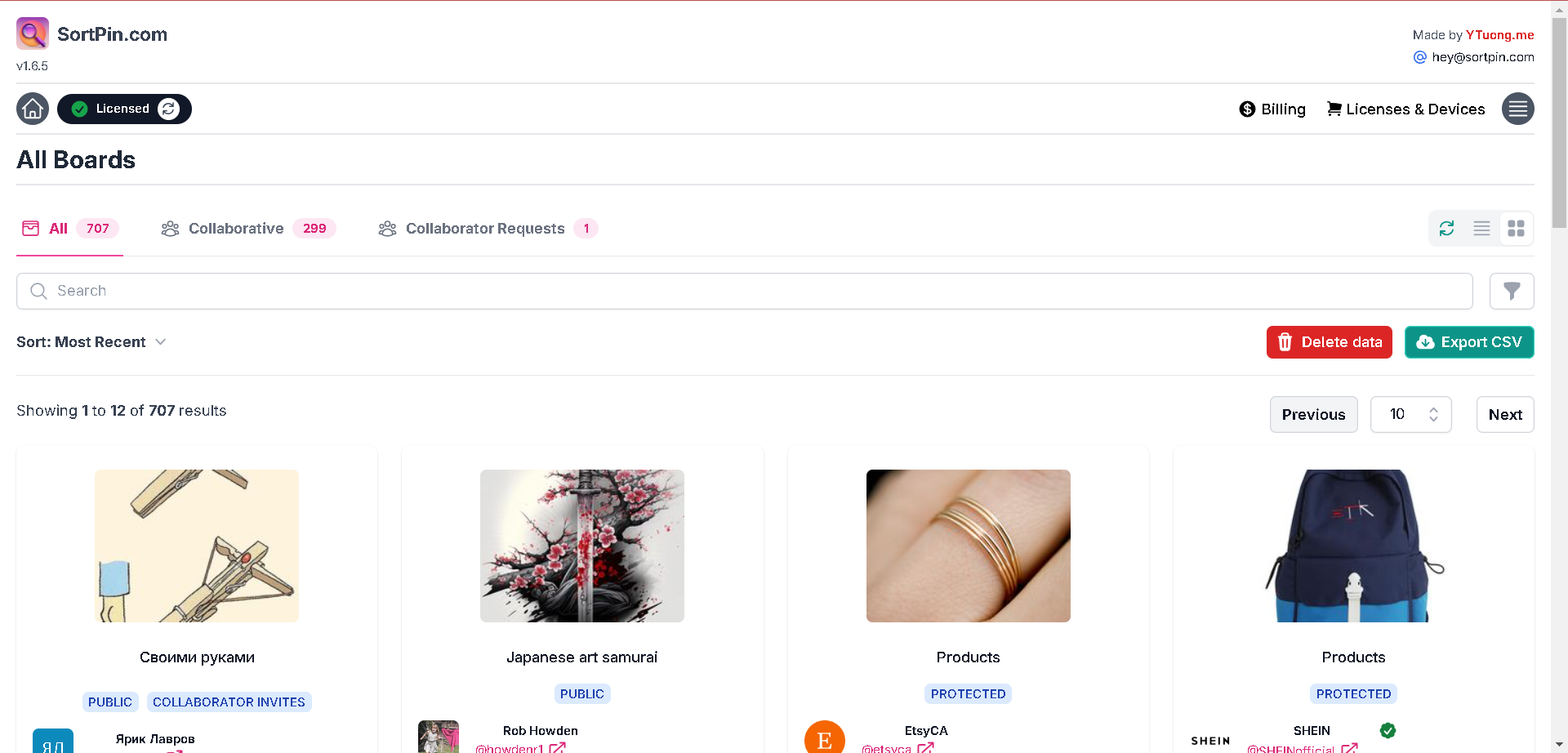
| 📁 **Boards** | **All Boards** dashboard — filter by All / Collaborative / Collaborator Requests |
| 👥 **Pinners** | **All Pinners** dashboard — filter by All / Partner / Lead |
### Second row — your settings
| Tab | What you configure |
| ----------------- | ------------------------------------------------------------------------------------------------------------------------------------------------------------------- |
| 🎨 **Appearance** | [Dark mode](/pinterest-troubleshooting/pinterest-dark-mode.md) for Pinterest and the panel, plus which stats appear on pin cards |
| 📥 **Collect** | [Smart Collect](/displaying-data-slowly.md#-the-best-long-term-fix-collect-only-what-you-need) — choose whether to gather Pins, Boards, Pinners; see today's totals |
| 🧹 **Feed** | [Feed Cleanup](/pinterest-guides/pinterest-ai-content-filter.md) — hide or dim AI pins and [ads](/pinterest-guides/hide-pinterest-ads.md) |
| ⚙️ **General** | Floating buttons, the auto-scroll button and its delay, detail pin display |
> 💡 **The setting most people should check first is Collect.** SortPin can gather pins, boards, and pinners — but collecting types you never use only makes your dashboard slower. Turn on what your work actually needs.
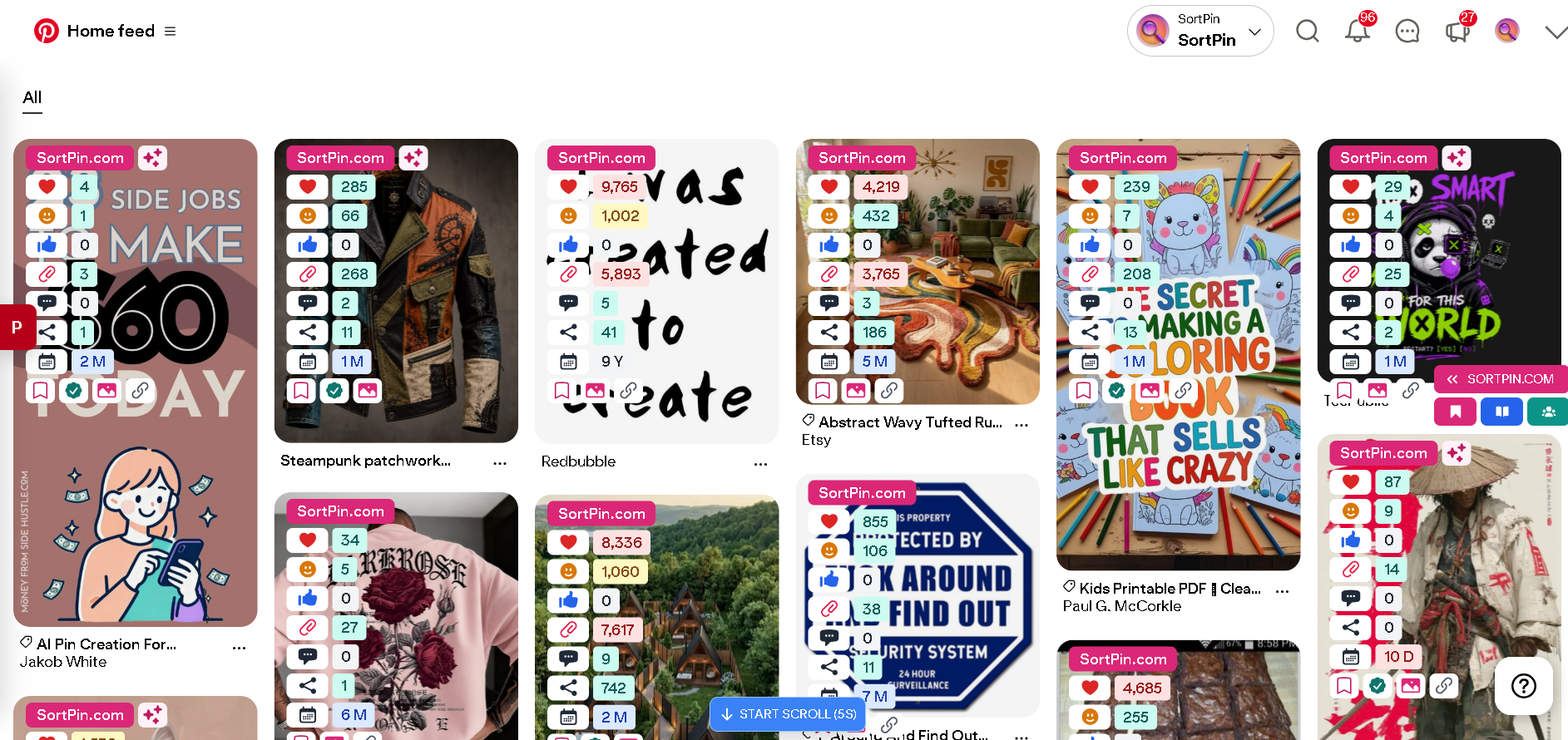
SortPin on a Pinterest home feed — hidden stats on every pin, with the auto-scroll button ready
***
## 🔍 Pin Intelligence & Analytics
### View Hidden Pin Information
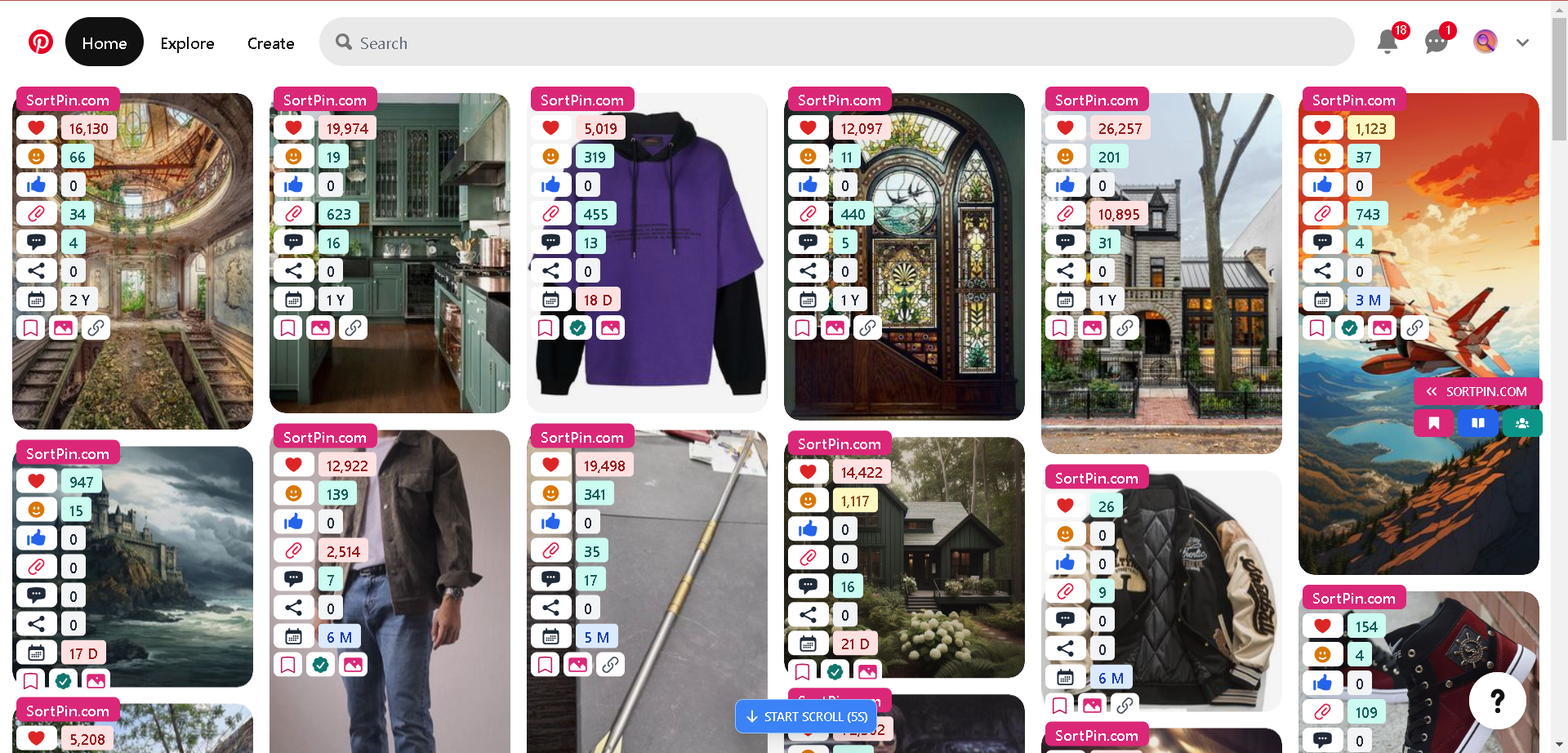
SortPin reveals **hidden Pinterest data** that the platform normally hides — repin counts, likes, comments, and even the pin creator's follower count. Use this intel to identify high-performing content and replicate what works.
### Saved History of Pins, Boards, and Pinners
Every pin, board, and pinner you view through SortPin is **automatically saved to your history**, so you can revisit them anytime — no need to manually bookmark.
***
## 📥 Download High-Quality Media
### Download Pinterest Images and Videos
Save Pinterest images, videos, and stories in **original quality** — no watermark, no compression. Perfect for designers, marketers, and content creators who need source files. [Learn more →](/features/free-pinterest-images-video-and-story-downloader.md)
> 💡 Want to send pins to your phone instantly? Try the [**Telegram Bot integration**](/features/telegram-bot-pinterest-images-video-and-story-downloader.md) — share pins from desktop to mobile in one tap.
### Step-by-step download guides
| By content type | By device |
| ------------------------------------------------------------------------------------------------- | -------------------------------------------------------------------------- |
| 🎬 [Videos](/download-guides-by-content-type/how-to-download-pinterest-videos.md) | 📱 [iPhone](/download-guides-by-device/download-pinterest-on-iphone.md) |
| 🖼️ [Images](/download-guides-by-content-type/how-to-download-pinterest-images.md) | 🤖 [Android](/download-guides-by-device/download-pinterest-on-android.md) |
| 📖 [Stories & Reels](/download-guides-by-content-type/how-to-download-pinterest-stories-reels.md) | 📲 [iPad](/download-guides-by-device/download-pinterest-on-ipad.md) |
| 🎨 [GIFs](/download-guides-by-content-type/how-to-download-pinterest-gifs.md) | 🍎 [Mac](/download-guides-by-device/download-pinterest-on-mac.md) |
| 📁 [Entire boards](/download-guides-by-content-type/how-to-download-pinterest-board.md) | 🖥️ [Windows](/download-guides-by-device/download-pinterest-on-windows.md) |
***
## 🤝 Discovery & Collaboration
### Find Collaborative Boards Easily
Discover **collaborative Pinterest boards** in your niche and request to join. Group boards are one of the fastest ways to grow your Pinterest reach without paying for ads.
> 🚀 Want to grow without getting banned? Read: [How to grow a Pinterest account without getting locked](/faqs/how-to-grow-a-pinterest-account-without-getting-locked.md)
***
## 🎯 Marketing & Ad Research
### Spy on Pinterest Ads
Research **competitor Pinterest ad campaigns** — see which pins are running as paid ads, what creatives convert, and where the traffic goes. Steal winning strategies and stay ahead of competitors.
> 💼 Looking to find emails from Pinterest profiles? See: [How to get email addresses for email marketing for free](/how-to-get-email-addresses-for-email-marketing-for-free.md)
***
## 🎥 Video Tutorials
### Getting Started
**How to see hidden pins on Pinterest**
{% embed url="" %}
**How do you use Pinterest effectively?**
{% embed url="" %}
### Download Pinterest Media
**How can I download a picture from Pinterest?**
{% embed url="" %}
**How to download Pinterest video on laptop?**
{% embed url="" %}
### Marketing & Growth
**How do you make money on Pinterest?**
{% embed url="" %}
**How do I find boards to join on Pinterest?**
{% embed url="" %}
**How to find leads on Pinterest for free?**
{% embed url="" %}
**How do I get ads insights on Pinterest?**
{% embed url="" %}
***
## 🚀 Ready to Try SortPin?
1. [😊 Install the SortPin Chrome Extension](/getting-started/how-to-install-sortpin.com-extension.md) (2 minutes)
2. [🔐 Activate your license](/getting-started/manage-license-and-devices/how-to-activate-license.md)
3. Start unlocking Pinterest's full potential
{% hint style="info" %}
💬 **Have questions?** Our [chat support](https://go.crisp.chat/chat/embed/?website_id=48b6c12a-2212-4be1-9e27-2dad7e2d5fb0) team is one click away.
{% endhint %}