✉️How to get email addresses for email marketing for free?

How to extract free email addresses from Pinterest for email marketing in 3 steps using SortPin. Build a targeted lead list by niche — 100% free.

🎯 What You'll Get

  • 📧 Active emails of Pinterest users in your niche

  • 🎯 Niche-targeted leads (filter by topic/keyword)

  • 📊 Exportable CSV file ready for any email tool

  • 💰 100% free — no scraping subscriptions

⚠️ Use responsibly: Always follow GDPR, CAN-SPAM, and your email platform's terms of service. Only send relevant content to opted-in audiences.


🚀 3-Step Method

Step 1 — Start Auto-Scroll Data Collection

Open SortPin on a Pinterest search results page or board. Click the auto-scroll button with a 12-second interval.

  • Each scroll waits 12 seconds for SortPin to collect data

  • You don't need to do anything — let it run in the background

  • ☕ Go grab a coffee while SortPin works

Start SortPin auto-scroll data collection
12-second interval auto-scroll setting

Step 2 — Open the SortPin Pinners Tab

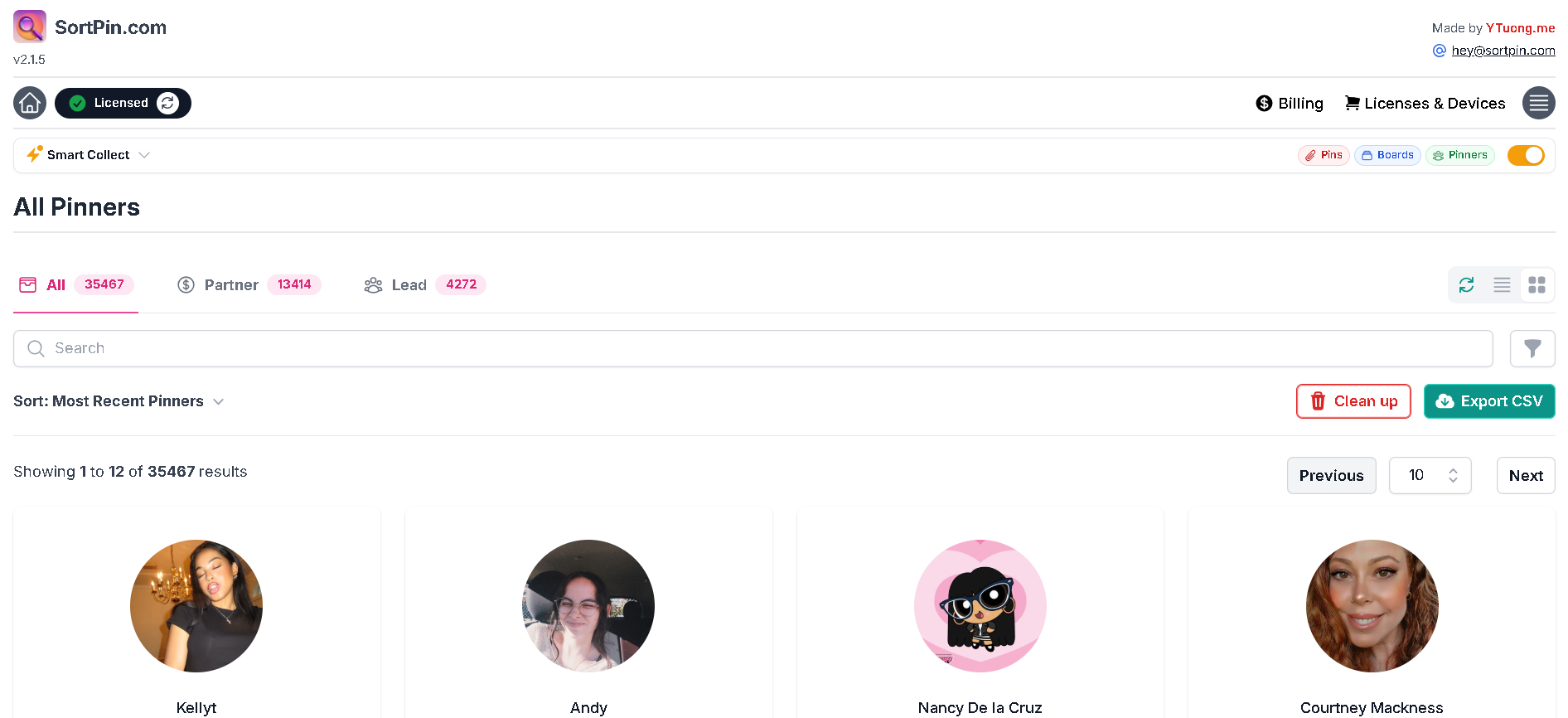
Once collection is done, click the SortPin icon in the middle-left of your screen → click 🏠 home → select Pinners.

Navigate to Pinners tab in SortPin

Step 3 — Export CSV with Emails

In the Pinners tab, find the Lead section → click Export CSV.

The downloaded file contains:

  • 📧 Active Pinterest email addresses

  • 👤 Pinner names

  • 🔗 Profile links

  • 🎯 All filtered to your niche

Export CSV of Pinterest leads

Done! Use this list for your email marketing campaigns.


⚡ Adjusting Collection Speed

The speed depends on how fast Pinterest loads detailed pin info — which depends on your internet connection.

Recommendations:

Internet Speed
Recommended Interval

🟢 Fast (50+ Mbps)

10 seconds

🟡 Average (10-50 Mbps)

12 seconds

🔴 Slow (< 10 Mbps)

15-20 seconds

⚠️ Don't go below 10s — Pinterest may rate-limit you or flag the activity.

Adjust SortPin collection speed

💡 Pro Tips

  1. 🎯 Target buyer-intent boards — search niche keywords + "shop", "buy", "products"

  2. 📊 Quality over quantity — 100 highly targeted emails beat 10,000 random ones

  3. 📧 Warm up your sending domain — start with small batches to avoid spam filters

  4. ✍️ Personalize first sends — reference Pinterest topic for higher open rates

  5. 🛡️ Always include unsubscribe — comply with email marketing laws (CAN-SPAM, GDPR)


💬 Need help setting up your campaign? Our chat support team is one click away.

Last updated